Generate Media Latents (Modular Diffusion Pipeline)
Runs the denoising loop. Takes a noise / encoded / partially-denoised latent in, returns a denoised latent out.
Category: ModularDiffusion/Processing
TL;DR
- The workhorse node. Connect a
pipelineand aninput_latent; configure the prompt and steps; run. - All runtime parameters (prompt, guidance, dimensions, ControlNet inputs) are dynamic — they appear and adapt based on the connected pipeline.
- For multi-stage / rediffusion workflows, chain multiple Generate nodes and use
start_step/end_stepto slice the denoising schedule. - Output is a latent — pass through Decode Media Latent to get an image / video.
Typical workflow position
Pipeline Builder → Create Noise Latents → [Generate Media Latents] → Decode Media Latent
Node preview
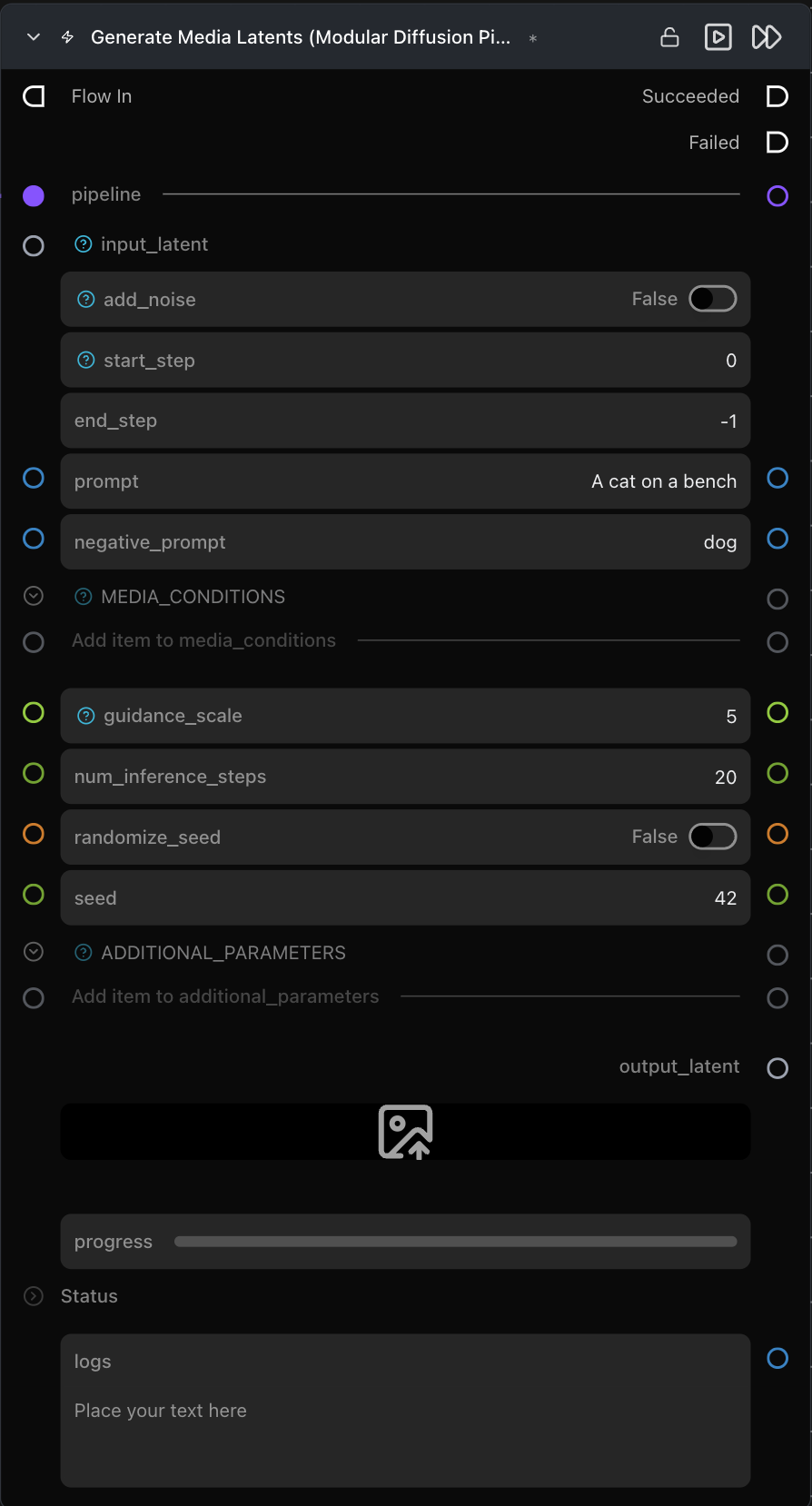
Inputs
| Name | Type | Required | Notes |
|---|---|---|---|
pipeline |
Pipeline Config |
Yes | From Pipeline Builder or ControlNet Pipeline. |
input_latent |
LatentArtifact or InpaintMaskArtifact |
Yes | Starting latent. Use Noise (Text-to-Image / Text-to-Video), Encode (Image-to-Image, Video-to-Video), or a prior Generate output (multi-stage). |
controlnet_parameters |
control_parameters |
Only if pipeline is a ControlNet pipeline |
From the ControlNet Pipeline node's control_parameters output. |
additional_parameters |
list[dict] | No | Generic provider-specific kwargs forwarded to the pipeline call. |
Outputs
| Name | Type | Notes |
|---|---|---|
output_latent |
LatentArtifact |
The denoised latent. |
preview_image |
ImageUrlArtifact |
Live intermediate previews — only populated when Settings → Modular Diffusion Library → Enable Image Preview Intermediates is on. |
progress |
progress bar | Step counter. |
logs |
str | Per-step timing log. |
Parameters
Generation (dynamic — provider-specific)
The exact list depends on the connected pipeline. Common parameters:
| Name | Type | Notes |
|---|---|---|
prompt |
str | Positive prompt. |
negative_prompt |
str | Negative prompt — appears for pipelines that support classifier-free guidance. |
guidance_scale / true_cfg_scale |
float | Classifier-free / true-CFG guidance strength. Naming varies per pipeline. |
num_inference_steps |
int (default 20) |
Length of the denoising schedule. |
seed |
int | Reproducibility. |
Multi-stage / partial denoise
| Name | Type | Default | Notes |
|---|---|---|---|
add_noise |
bool | False |
Re-noise the input before denoising (useful for rediffusion / Image-to-Image-style runs). |
start_step |
int | 0 |
0-based start index into the denoising schedule. |
end_step |
int | -1 |
0-based end index; -1 runs to the end. |
Provider / model behavior
- ControlNet: when
pipelineis aControlNetDiffusionPipelineArtifact, thecontrolnet_parametersinput is added automatically. - Inpainting: when
input_latentis anInpaintMaskArtifact(from Encode Masked Media Latent), the node automatically routes through the inpaint pipeline class and uses the artifact'sstrength.
Tips & pitfalls
- Switching pipelines preserves matching connections. Any connection whose parameter name exists in the new pipeline is kept automatically; the UI reorders to reflect the new layout.
- Live previews slow inference. Off by default. Toggle in Settings → Modular Diffusion Library → Enable Image Preview Intermediates.
start_step/end_stepare sliced from the scheduler. Combine two Generate nodes (e.g.0–10then10–20) for multi-stage refinement.- Cancellation works mid-step. Hitting cancel sets the pipeline's
_interruptflag; the run stops after the current step. - Dimensions come from
input_latent. Generate has no width / height / num_frames fields — set those on the upstream Create Noise Latents (or whatever produces the starting latent).
See also
- Modular Diffusion Pipeline Builder
- Create Noise Latents · Encode Media Latent · Encode Masked Media Latent — common upstream nodes.
- Decode Media Latent — typical downstream node.
- Workflow templates:
workflows/templates/Text2Image.py,workflows/templates/MultistageText2Image.py,workflows/templates/Image2Image.py.