Encode Media Latent
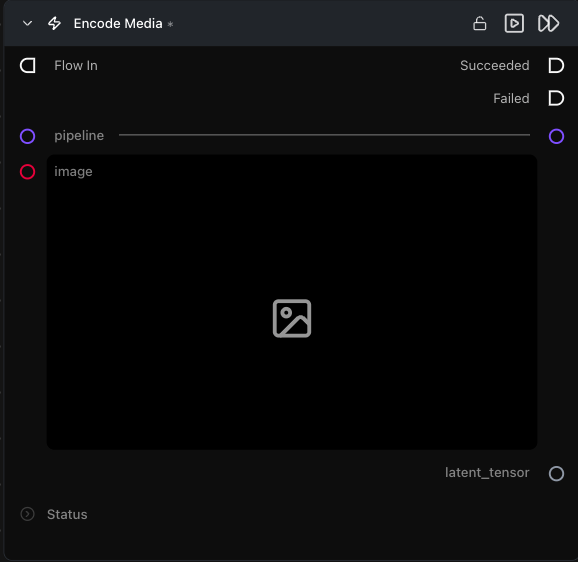
Runs the pipeline's VAE encoder on an image or video, producing a latent you can feed into denoising for Image-to-Image / Video-to-Video flows.
Category: ModularDiffusion/Encode\Decode
TL;DR
- The input parameter is dynamic:
imagefor image pipelines,input_videofor video pipelines (LTX, LTX2, WAN etc). It swaps automatically when you connect apipeline. - Latents are normalized and unpacked — they're shape-compatible with Create Noise Latents, so the latent math / composite nodes work on them directly.
- Pair with
add_noise=Trueon a downstream Generate Media Latents for classic Image-to-Image. The amount of noise added is controlled bystart_stepon that node:strength = 1 − (start_step / num_inference_steps). Examples withnum_inference_steps=20:start_step=0→ full noise (strength 1.0) — original image is ignored, behaves like Text-to-Image.start_step=10→ half noise (strength 0.5) — balanced blend of original and generated.start_step=18→ very little noise (strength 0.1) — result stays very close to the original image.
Typical workflow position
Load Image → [Encode Media Latent] → Generate Media Latents → Decode Media Latent
Node preview
Inputs
| Name | Type | Required | Notes |
|---|---|---|---|
pipeline |
Pipeline Config |
Yes | Determines whether the input slot is image or input_video. |
image |
ImageArtifact / ImageUrlArtifact |
When pipeline is image-only | Source image. |
input_video |
VideoArtifact / VideoUrlArtifact |
When pipeline is video | Source video. |
Outputs
| Name | Type | Notes |
|---|---|---|
latent_tensor |
LatentArtifact |
Encoded latent in the pipeline's canonical latent space. |
Tips & pitfalls
- The input slot adapts to the connected pipeline. Image pipelines (Flux, SD3, etc.) show an
imageinput; video pipelines (LTX, LTX2, WAN, etc.) showinput_videoinstead. Switching pipeline types replaces the slot — rewire the input after switching. - For fresh text-to-image or text-to-video, use Create Noise Latents instead. This node encodes an existing image or video into latent space for Image-to-Image or Video-to-Video workflows, not for generation from scratch.
See also
- Encode Masked Media Latent — inpaint variant.
- Decode Media Latent — inverse operation.
- Workflow template:
workflows/templates/Image2Image.py.