Configure ControlNet
Configures one ControlNet entry — model, control image, and conditioning strength — for use with the ControlNet Pipeline node.
Category: ModularDiffusion/Conditioning
TL;DR
- Pick
providerfirst; the rest of the parameters are dynamic and regenerate per provider. - One node = one ControlNet. To stack multiple, drop multiple nodes and connect each
control_netoutput to the ControlNet Pipeline node'scontrol_netslist input. - Supported providers: Flux, Qwen, Stable Diffusion, Z-Image etc.
Typical workflow position
Load Image → [Configure ControlNet] → ControlNet Pipeline → Generate Media Latents
Node preview
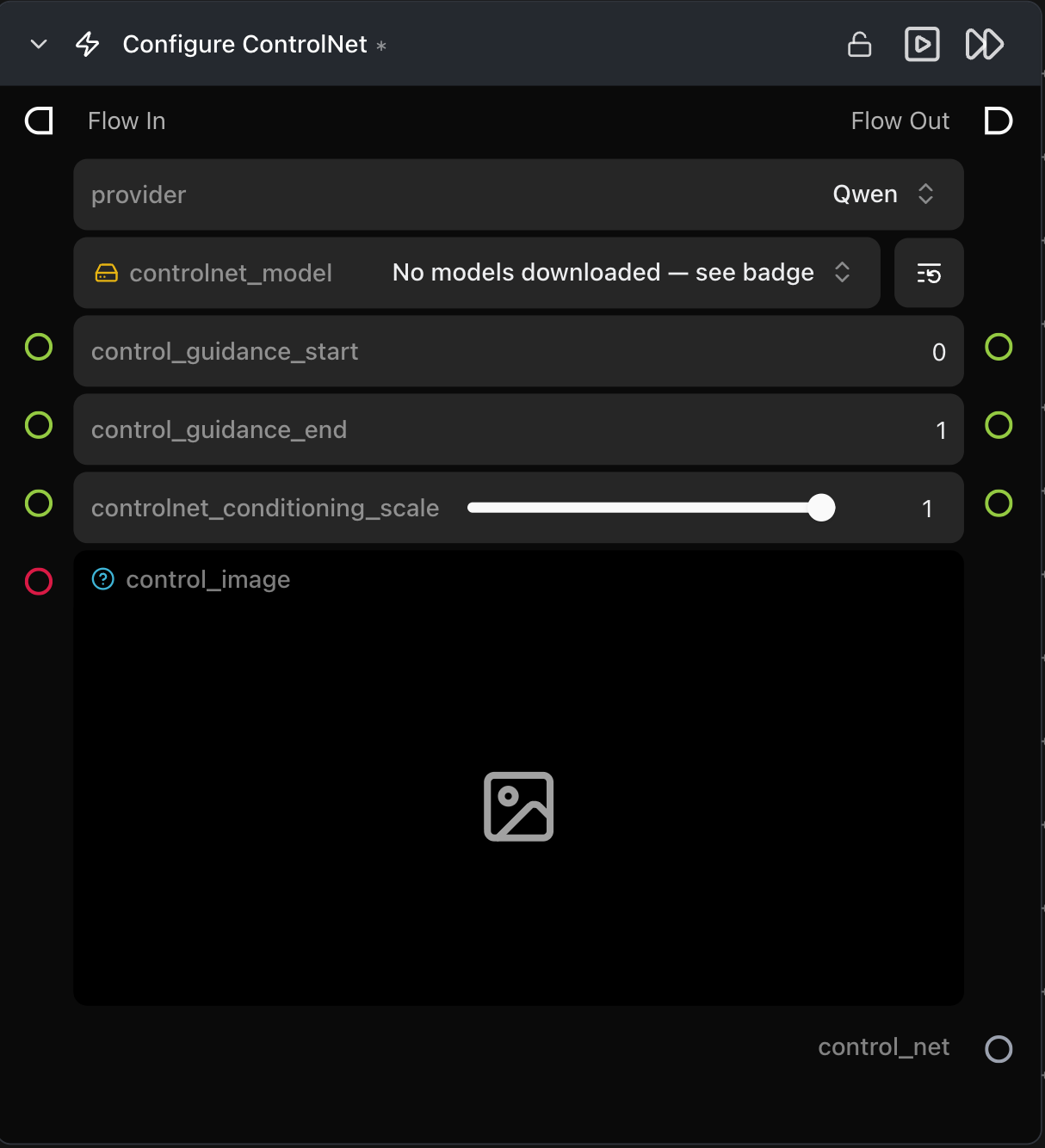
Inputs
| Name | Type | Required | Notes |
|---|---|---|---|
control_image |
ImageArtifact / ImageUrlArtifact |
Yes | The control signal (canny edges, depth map, pose, etc. — depends on the ControlNet model). |
controlnet_conditioning_scale |
float (0.0–1.0) | No | Influence of this ControlNet, default 1.0. |
controlnet_model |
HF repo picker | Yes | The ControlNet model to use; choices update per provider. |
Outputs
| Name | Type | Notes |
|---|---|---|
control_net |
control_net (dict) |
Entry to feed into the ControlNet Pipeline node. |
Provider / model behavior
The model dropdown and extra parameters change per provider. Notable extras:
- Flux —
control_mode(canny,tile,depth,blur,pose,gray,low_quality),control_guidance_start,control_guidance_end. - Qwen / Stable Diffusion / Z-Image — provider-specific model repos and conditioning knobs.
Tips & pitfalls
- Provider must match the base pipeline. A Flux ControlNet plugged into an SDXL pipeline will be rejected by the ControlNet Pipeline node's validator.
- Preprocess control images upstream. Run your detector (Canny, depth estimator, pose) in an earlier node and feed the result directly — this node expects a ready-to-use control image.
controlnet_conditioning_scaleis per-ControlNet. When stacking, each node has its own weight.
See also
- ControlNet Pipeline — required downstream consumer.
- Workflow template:
workflows/templates/ControlnetText2Image.py.