Create Noise Latents
Generates a random-noise latent tensor matching the connected pipeline's expected shape — the typical starting point for text-to-image / text-to-video flows.
Category: ModularDiffusion/Create
TL;DR
- Drop this between the Pipeline Builder and Generate Media Latents for any pure text-to-image / text-to-video flow.
width/heightare pixel-space; the node handles VAE down-scaling internally.num_framesappears only when the connected pipeline produces video (LTX, LTX2, WAN). It's hidden otherwise.seedcontrols reproducibility — same seed + same pipeline + same dimensions → identical latent.
Typical workflow position
Pipeline Builder → [Create Noise Latents] → Generate Media Latents → Decode Media Latent
Node preview
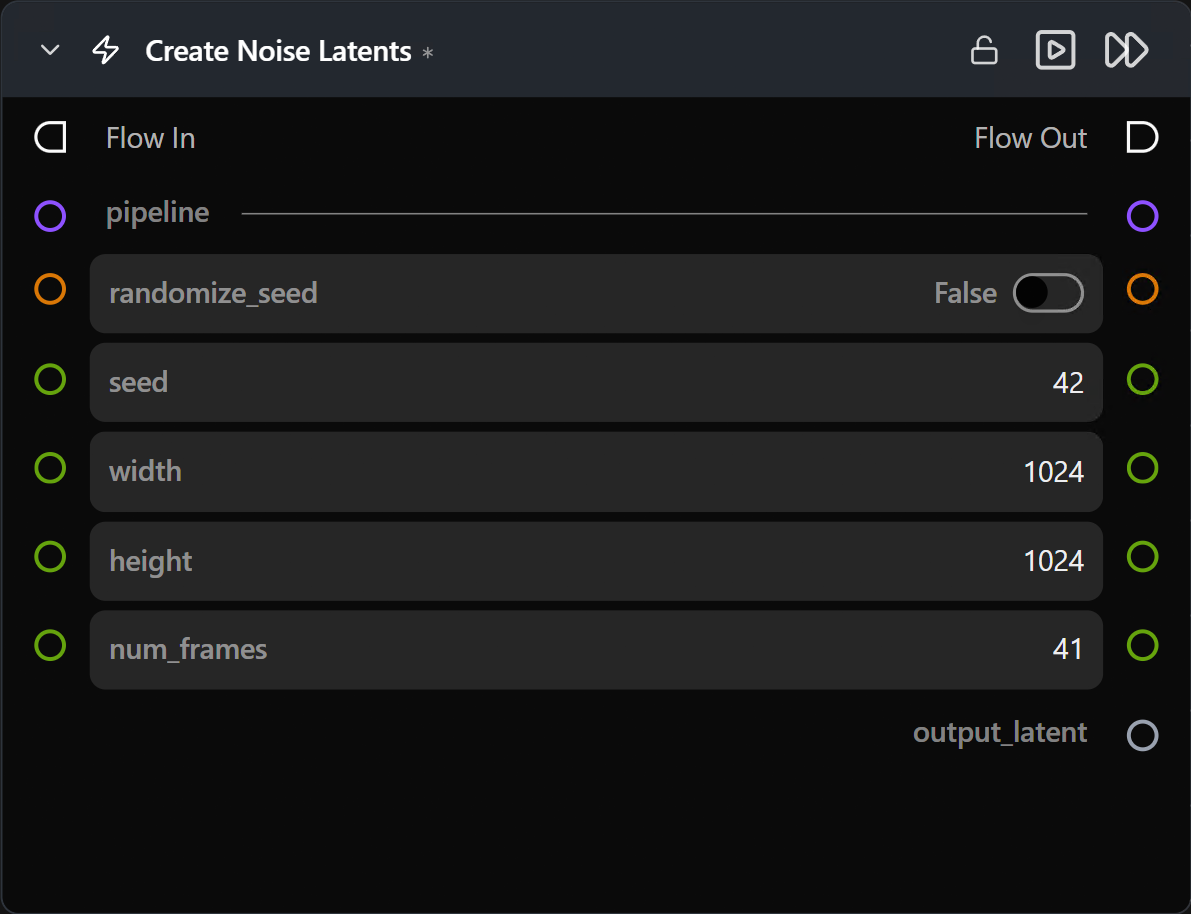
Inputs
| Name | Type | Required | Notes |
|---|---|---|---|
pipeline |
Pipeline Config |
Yes | From the Pipeline Builder. Determines shape, VAE scale factor, and whether num_frames is shown. |
Outputs
| Name | Type | Notes |
|---|---|---|
output_latent |
LatentArtifact |
Unpacked, normalized (~N(0,1)) noise tensor. Feed to Generate Media Latents. |
Parameters
| Name | Type | Default | Notes |
|---|---|---|---|
width |
int (pixels) | 1024 |
Pixel-space width. Internally divided by the VAE scale factor. |
height |
int (pixels) | 1024 |
Pixel-space height. |
num_frames |
int | 41 |
Number of video frames. Hidden for image pipelines. |
seed |
int | random | Reproducibility. |
num_inference_steps |
int | 20 |
Only shown for SDXL — used by SDXL to scale the initial noise. Other pipelines ignore this. |
Tips & pitfalls
width/heightmust respect VAE divisibility. Most VAEs require multiples of 8 or 16. Pick standard dimensions (512, 768, 1024, …) to keep shapes valid.- Same seed across pipelines ≠ same image. Latent shape and VAE space differ per model; the seed is only meaningful within one pipeline type.
- For Image-to-Image or rediffusion, use Encode Media Latent instead. Encoding an existing image gives you a conditioned starting point; optionally feed it through Generate Media Latents with
add_noise=True.
See also
- Create Empty Latents — zero-filled variant for masked compositing or specific multi-stage tricks.
- Encode Media Latent — for image / video → latent.
- Generate Media Latents — typical consumer.